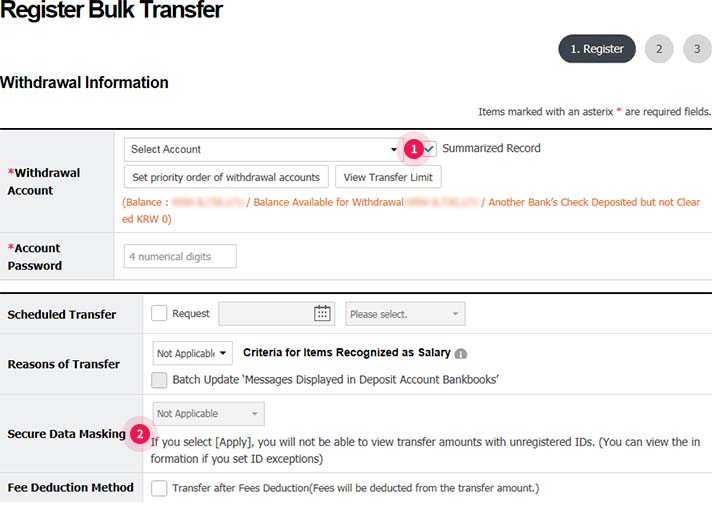
Step 1. After entering withdrawal information, you can designate the options including scheduled transfer, secure data masking, etc.
- ① Whether to select Summarized Record: If you select Summarized Record, transfer amount will be withdrawn in a single transaction, and if you don’t select it, withdrawals will be made in multiple transactions.
- ② Whether to apply Secure Data Masking: If you select [apply], transfer amount can’t be inquired with unregistered IDs (available to designate ID exceptions).
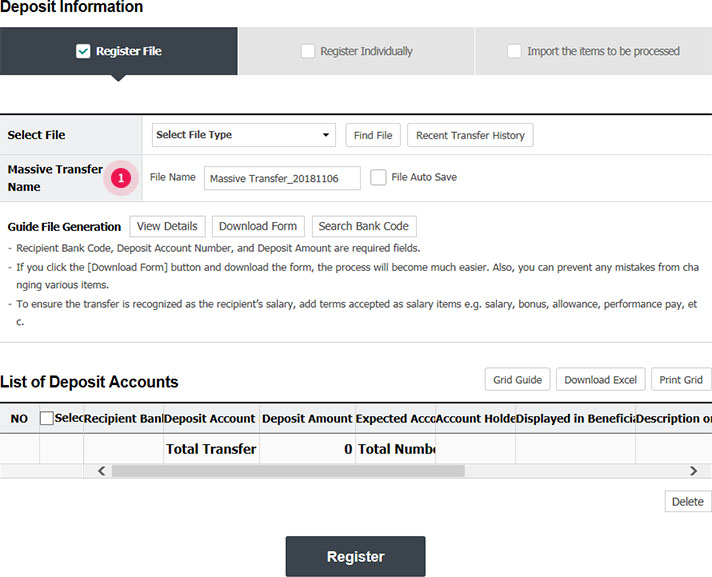
Step 2. You can select ‘Register File’ in Deposit Information.
- ① To ensure the transfer is recognized as the recipient’s salary, add terms as salary items e.g. salary, bonus, allowance, performance pay, etc. (ex. File name: massive_20170724 → salary_20180724)
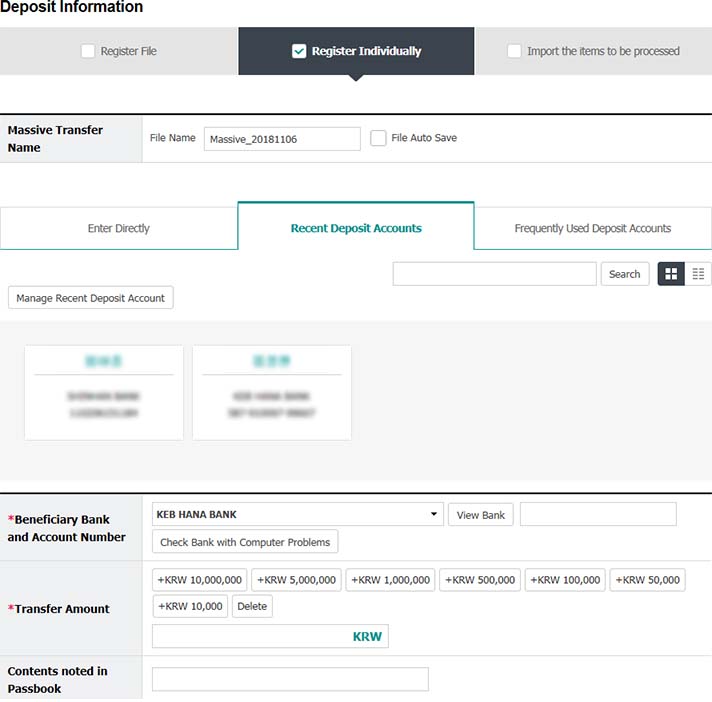
Step 2-1. You can select ‘Register Individually’ in Deposit Information.
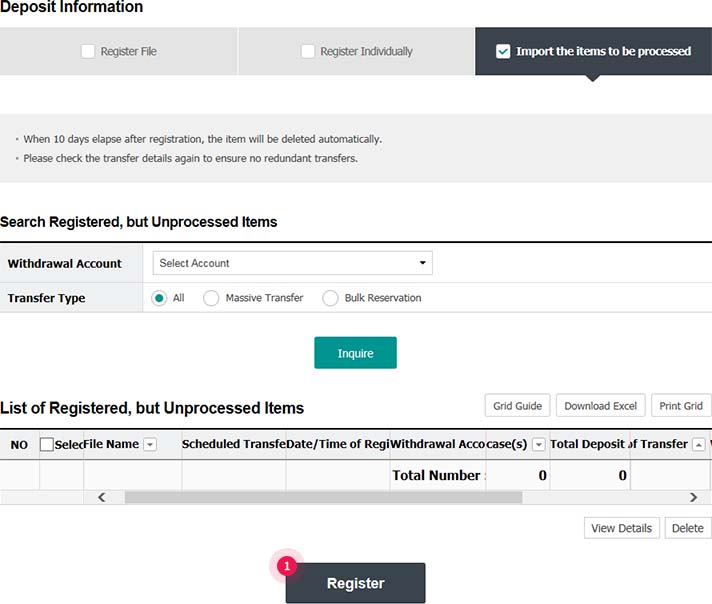
Step 2-2. You can select ‘Import Items to be Processed’, if there are registered but unprocessed items.
- ① You can inquire lists of unprocessed items and register them.
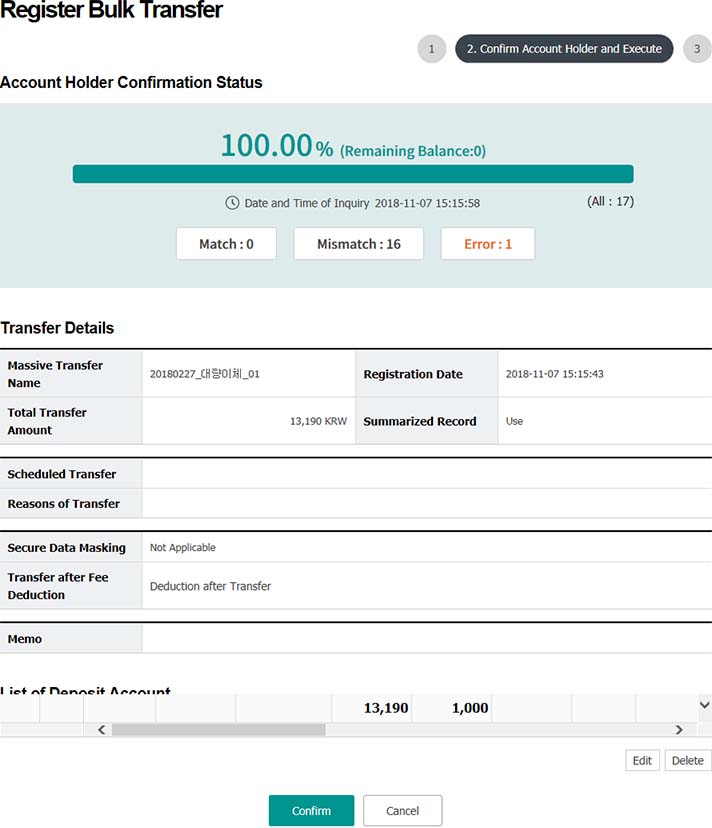
Step 3. Confirm the account holder and execute the transfer.
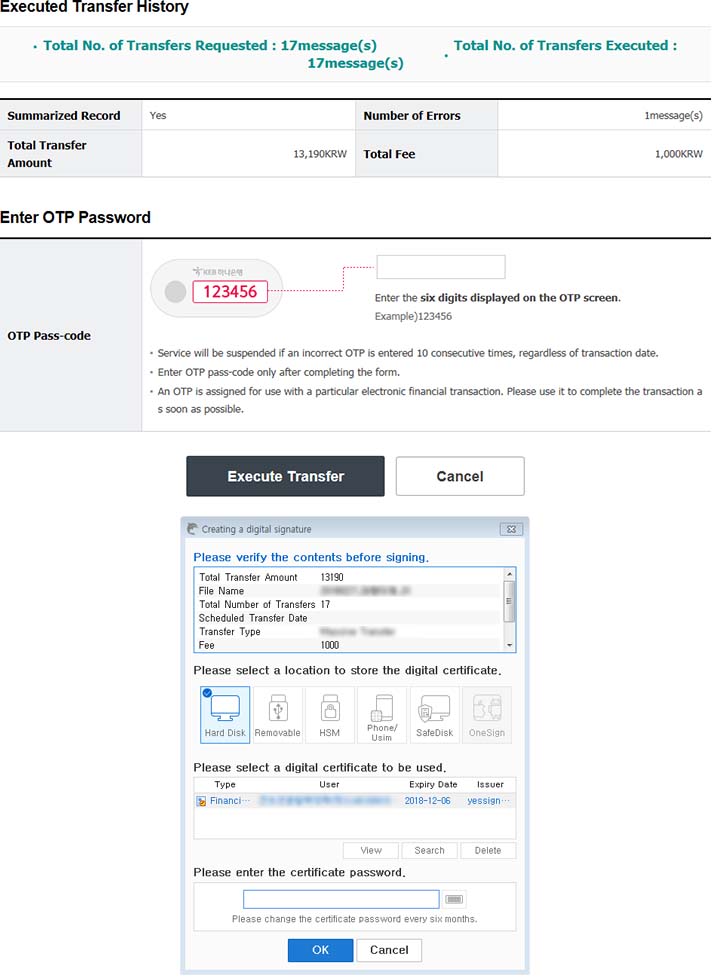
Step 4. Execute massive transfer by entering OTP password and digital certificate password.
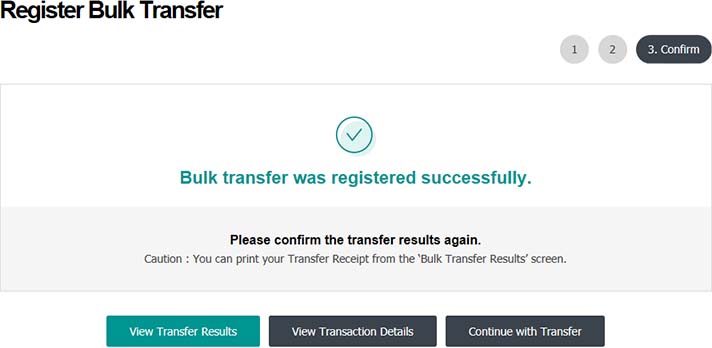
Step 5. Registration of massive transfer is completed.